
Your password is the first — and often the only — line of defense between your accounts and the people trying to break into them. And yet, despite years of security warnings, data breach headlines, and expert advice, the most commonly used password in the world as of 2025 is still 123456. The second most common is password.
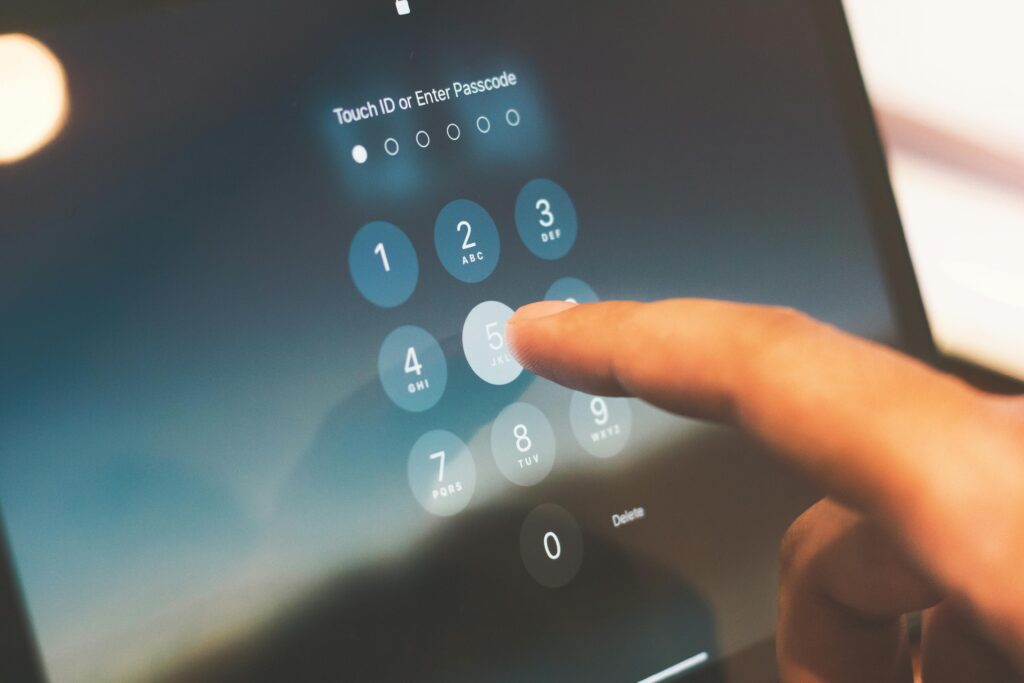
This is not a failure of intelligence. It is a failure of practical guidance. Security experts have spent decades telling people what not to do — don’t use your name, don’t use dictionary words, don’t reuse passwords — without adequately explaining what to do instead in a way that is actually sustainable for a human being with dozens of accounts to manage.
This guide fixes that. You will learn exactly how modern password attacks work, what actually makes a password strong versus merely complex, and — most importantly — specific, proven techniques for creating passwords that are both genuinely difficult to crack and possible for a real person to remember and use.
How Attackers Actually Crack Passwords
Before learning how to build a strong password, you need to understand what you are building it against. Password cracking is not someone at a keyboard trying guesses one at a time. It is automated, massively parallel, and far more sophisticated than most people realize.
Brute force attacks
A brute force attack tries every possible combination of characters until the correct password is found. The speed at which this happens depends on the attacker’s hardware — but modern password-cracking rigs using multiple high-end GPUs can attempt billions of combinations per second against certain hash types.
What this means in practice:
| Password Length | Character Set | Time to Crack |
|---|---|---|
| 6 characters | Lowercase only | Instantly |
| 8 characters | Lowercase only | Under 1 minute |
| 8 characters | Upper + lower + numbers | A few hours |
| 8 characters | Upper + lower + numbers + symbols | 1–2 days |
| 12 characters | Upper + lower + numbers + symbols | Centuries |
| 16 characters | Upper + lower + numbers + symbols | Longer than the universe has existed |
The single most important variable in password strength is length. Every additional character multiplies the number of possible combinations exponentially. An 8-character password that looks complex — P@ssw0rd — falls in hours. A 16-character password of random characters would take current technology longer than the age of the universe to crack by brute force.
Dictionary attacks
Rather than trying every combination, dictionary attacks use precompiled lists of likely passwords: common words, known phrases, previously breached passwords, and common substitution patterns. These lists contain billions of entries and are highly effective against passwords that are based on real words — even with “clever” modifications like replacing letters with numbers or symbols.
Substitutions that attackers already account for in their dictionaries include:
- Replacing a with @ or 4
- Replacing e with 3
- Replacing i with 1 or !
- Replacing o with 0
- Replacing s with 5 or $
- Adding 123 or ! at the end of a word
- Capitalizing only the first letter
P@ssw0rd! is not a strong password. It is a well-known word with substitutions that every serious cracking tool tests automatically. If you have used patterns like this, change them.
Credential stuffing
When a website is breached and its password database is stolen, those credentials — often billions of username and password pairs — are compiled and sold on dark web marketplaces. Attackers then automatically test every combination against hundreds of other websites. Because most people reuse passwords across multiple accounts, credential stuffing succeeds routinely even against platforms that were never themselves hacked.
This is why password reuse is as dangerous as a weak password. A strong unique password stolen from one breached site cannot be used against your bank, your email, or your other accounts. The same strong password reused everywhere gives an attacker who obtains it once access to everything.
Shoulder surfing and social engineering
Not all password theft is technical. Observing someone type their password in a public place, extracting it through social engineering, finding it written on a sticky note under a keyboard, or obtaining it from a phishing page are all equally effective — and require no cracking at all. Memorability matters precisely because passwords that cannot be remembered get written down in insecure places.
What Makes a Password Actually Strong?
The cybersecurity community has significantly updated its understanding of password strength over the past decade, and the guidance has shifted in important ways. The old rules — must contain uppercase, lowercase, number, and symbol; must be changed every 90 days — have been replaced by evidence-based recommendations that are both more effective and more practical.
The current consensus, reflected in NIST’s Digital Identity Guidelines (SP 800-63B) and adopted by most leading security organizations, centers on four principles:
Principle 1: Length is the most important factor
A password’s strength grows exponentially with length. A 20-character password composed entirely of lowercase letters has more possible combinations than a 10-character password using the full character set of upper, lower, numbers, and symbols. Length beats complexity every time at comparable character counts, and combining both is ideal.
Minimum recommended lengths:
- Absolute minimum: 12 characters for any account
- Standard accounts: 16 characters
- High-value accounts (email, banking, password manager master password): 20+ characters
Principle 2: Randomness matters more than complexity
A password’s security comes from its unpredictability — its entropy, in technical terms. Human-chosen passwords, even when they meet complexity requirements, follow predictable patterns that attackers exploit. Truly random passwords — generated by a computer, not a human — are significantly stronger at the same length because they contain no patterns.
The problem: truly random passwords like xK#9mQp!rL2vN$8w are difficult to memorize. This is where the specific techniques in the next section become critical — methods that achieve high entropy while remaining humanly memorable.
Principle 3: Uniqueness is non-negotiable
Every account needs its own unique password, full stop. The credential stuffing threat makes reuse as dangerous as weakness. This is effectively impossible to maintain manually for the average person who has 50 to 200 online accounts — which is precisely why password managers exist and why using one is not optional for anyone serious about security.
Principle 4: Complexity requirements should serve entropy, not theater
Requiring a capital letter, a number, and a symbol creates the appearance of security without necessarily providing it. Password1! meets most complexity requirements and can be cracked almost instantly. correct-horse-battery-staple meets none of them and would take centuries to brute force. The four random words are stronger by orders of magnitude despite failing the traditional complexity rules.
Modern guidance recommends abandoning arbitrary complexity rules in favor of length and genuine randomness — and stopping forced periodic password changes unless there is evidence of compromise, since regular forced changes cause users to create weaker, predictably patterned passwords.
Five Proven Techniques for Strong, Memorable Passwords
The following techniques have been validated by security researchers and are recommended by organizations including NIST, the UK’s National Cyber Security Centre, and cybersecurity educators worldwide. Each balances genuine security strength with practical memorability.
Technique 1: The Passphrase Method (Recommended for most people)
A passphrase is a sequence of multiple random words combined into a single password. The concept was popularized by the XKCD comic strip “Password Strength” (2011), which demonstrated that a four-word passphrase like correct horse battery staple is both easier to memorize and stronger than a typical complex password like Tr0ub4dor&3.
The security comes from the mathematical combination of choices. If you randomly select from a list of 2,000 common English words, four words create 2,000⁴ = 16 trillion possible combinations. Six words create 64 quadrillion. Even a modest word list produces passphrases that are practically uncrackable by brute force.
How to create a strong passphrase:
- Choose four to six words at random — the key word being random. Do not choose words that relate to each other, tell a story you would naturally think of, or connect to your personal life. Roll dice, use a random word generator, or use the Diceware method (described below).
- Separate the words with a character — a space, hyphen, period, or underscore.
cloud-piano-river-jacketis stronger thancloudpianoriverjacketbecause it adds characters and makes the separation explicit. - Optionally add a number or symbol somewhere in the passphrase — not at the end where every tool looks first.
cloud-piano-47-river-jacketsignificantly increases the search space. - Memorize it by creating a mental image: visualize a cloud playing a piano beside a river wearing a jacket. The more vivid and absurd the image, the more memorable it becomes.
Passphrase examples (do not use these — create your own):
marble-eclipse-turtle-fountain— 30 characters, immense entropysilver.fog.laptop.canyon.12— 26 characters with a numberJACKET-thunder-whisper-ocean-flame— 34 characters with capitalization variation
Passphrases are particularly effective for the accounts you need to type most frequently — your computer login, your password manager master password, and your primary email — because they are long enough to be strong but memorable enough to type reliably without looking them up.
Technique 2: The Diceware Method (Maximum verifiable randomness)
The Diceware method, developed by security researcher Arnold Reinhold, produces passphrases with guaranteed randomness — no human bias in the word selection, which is the most common weakness of DIY passphrases. It uses physical dice and a published word list to select words entirely at random.
How the Diceware method works:
- Obtain the Diceware word list — freely available at diceware.com and EFF’s website. The EFF Large Wordlist contains 7,776 words (6⁵ = one roll of five dice maps to one word).
- Roll five dice and read the numbers in order — for example, 2-4-1-3-6 maps to a specific word in the list.
- Repeat for each word in your passphrase. The EFF recommends a minimum of six words for high-security passphrases.
- The resulting six-word passphrase has approximately 77 bits of entropy — sufficient to resist brute force attacks from current and projected near-future computing power, including early quantum computers.
The EFF’s version of Diceware uses words specifically chosen to be more memorable, avoiding obscure or difficult-to-spell words. Six dice rolls produces results like stunt-lingo-tiara-uneven-cobra-primal — a passphrase that looks random because it is, yet can be memorized with a visual narrative.
Diceware is the gold standard for master passwords — the password that protects your password manager, and therefore every other password you own. It is worth the extra effort for that single, critical credential.
Technique 3: The Sentence Method (Memory anchor approach)
The sentence method converts a memorable personal sentence into a compact password by taking the first letter of each word and incorporating punctuation and numbers from the original sentence. The result looks like a random string but has a mnemonic anchor that makes it reproducible from memory.
How it works:
- Choose a sentence that is meaningful to you but not publicly known or easily guessable — not a song lyric, not a famous quote, not your birthday.
- Take the first letter of each word.
- Preserve numbers and punctuation from the original sentence.
- Apply optional modifications: capitalize specific letters, substitute characters intentionally (and remember which ones).
Example:
Sentence: “My first dog was named Rex and he lived to 14 years old!”
Password: MfdwnRahl14yo!
This produces a 14-character password that looks completely random but can be reconstructed by anyone who knows the original sentence — which exists only in your memory. It passes complexity requirements (upper, lower, numbers, symbols) and contains no dictionary words.
Critical rules for the sentence method:
- The sentence must be something you will not forget — a vivid personal memory, a specific moment, or a factual statement about something unique to your life.
- The sentence must not be publicly discoverable — do not use song lyrics, movie quotes, or anything that could be found in a database or associated with you online.
- Create a different sentence for each account. The method produces memorability at the cost of being unable to generate passwords on demand for dozens of accounts — which is why it works best for a small number of critical accounts rather than as a system-wide approach.
Technique 4: The Password Manager Method (Best for most users with many accounts)
For the majority of your accounts — every social media platform, shopping site, forum, subscription service, and utility login you have ever created — the correct solution is not to memorize the password at all. It is to use a password manager that generates, stores, and fills truly random, unique passwords for every account automatically.
A password manager-generated password looks like this: xK#9mQp!rL2vN$8wYj@3
It is 20 characters of genuine randomness. You will never type it manually. You will never remember it. You will never need to. The password manager remembers it, fills it when you visit the site, and generates a new equally random one if you ever need to change it. This is not a compromise — it is the highest-security approach available for the vast majority of accounts.
How to implement a password manager effectively:
- Choose a reputable password manager — Bitwarden (open source, free tier excellent), 1Password, Dashlane, and Keeper are all well-regarded options with strong security track records. Avoid browser-built-in password managers for sensitive accounts, as they offer less security isolation.
- Create a master password using the Diceware method — this is the one password you will need to memorize, and it protects everything else. Make it exceptional: six or more random words, never written down, never shared, never reused.
- Enable two-factor authentication on your password manager account — use an authenticator app (not SMS) as the second factor. This ensures that even if your master password is somehow compromised, the vault remains inaccessible.
- Import and update existing passwords — most password managers can import saved passwords from browsers and flag reused or weak passwords for replacement. Work through this systematically, starting with your highest-value accounts.
- Configure browser autofill and install the browser extension — the manager fills credentials automatically on recognized sites, making the secure behavior require less effort than the insecure alternative.
The password manager approach scales to any number of accounts, generates stronger passwords than any human can devise, and eliminates the cognitive burden of password memorization for everything except the single master password. For most people, this represents the single highest-impact security improvement they can make in an afternoon.
Technique 5: The Modified Pattern Method (For those who cannot use a password manager)
Some environments — workplace computers with restricted software, shared devices, or situations where a password manager is genuinely not feasible — require passwords that are both unique per account and manually memorizable. The modified pattern method addresses this specific constraint.
The concept: create a strong base password and modify it consistently per site using a rule that you remember but that is not obvious to an attacker.
How to build a modified pattern system:
- Create a strong base passphrase of at least 12 characters:
mountain-spiral-82 - Define a site-specific rule — a consistent modification based on something about the website. Examples:
- Take the first three letters of the domain name and add them to the beginning:
goo-mountain-spiral-82for Google,ama-mountain-spiral-82for Amazon - Take the first and last letter of the domain and add them at a specific position
- Use the number of letters in the domain name somewhere in the password
- Take the first three letters of the domain name and add them to the beginning:
- Apply the rule consistently — the same rule applied to every site produces unique passwords that you can reconstruct from memory anytime you need them.
The critical weakness of this method: if an attacker obtains one of your passwords and recognizes the pattern, they can potentially derive others. This makes it significantly less secure than a password manager approach, but meaningfully better than reusing a single password or using simple site-specific variants that are even more predictable.
Use this method only when a password manager is genuinely not an option — and treat the underlying pattern as a secret to be protected with the same care as the passwords themselves.
Special Rules for Your Most Critical Passwords
Not all accounts carry equal risk. A compromised gaming forum account is an inconvenience. A compromised email account is a catastrophe — because email is the recovery mechanism for every other account you own. A compromised password manager is a total breach of every credential you have ever stored. These accounts demand a higher standard.
Your email account
Your primary email address is the master key to your digital life. Anyone with access to your email can trigger password resets on your bank, your social media, your cloud storage, your work accounts — everything. Treat your email password accordingly:
- Use a Diceware passphrase of at least six words — never a simple password
- Enable multi-factor authentication using an authenticator app, not SMS
- Never use the same password for email that you use for anything else
- Review the recovery options on your email account regularly — an outdated phone number or backup email is a vulnerability
Your password manager master password
This is the most important password you will ever create. It protects every other password. Losing it means losing access to your vault. An attacker who obtains it can access everything.
- Use a minimum six-word Diceware passphrase
- Memorize it through active repetition — type it daily for two weeks until it is automatic
- Consider writing it down only on paper, stored in a physically secure location (a home safe, a safety deposit box) — the physical security risk of a written master password is lower than the digital security risk for most people
- Enable two-factor authentication on the password manager account itself
Your banking and financial accounts
Financial accounts are direct targets for theft. Use unique passwords generated by your password manager for every financial platform, never reuse them, and enable every available security option the institution offers — MFA, transaction alerts, login notifications, and trusted device lists.
What to Avoid: The Most Common Password Mistakes
Knowing what makes passwords fail is as useful as knowing what makes them succeed. These are the patterns that attackers exploit most reliably — many of which appear in standard corporate password policies and are therefore widely practiced despite being demonstrably weak.
Personal information of any kind
Names, birthdays, anniversaries, pet names, hometowns, favorite sports teams, children’s names — all of this information is frequently available through social media, public records, and data broker databases. Attackers conducting targeted attacks begin by compiling exactly this information and testing it against their targets’ accounts. If a detail about your life appears on your Facebook profile, it should never appear in any form in your passwords.
Keyboard patterns
qwerty, asdfgh, 12345678, qazwsx, 1qaz2wsx — these geometric keyboard patterns are among the first entries in every cracking dictionary. They feel random to humans who create them; they are trivially predictable to automated attacks.
Predictable complexity theater
Password requirements that mandate complexity — one uppercase, one number, one symbol — create the illusion of security. They produce passwords like Welcome1! and Summer2025! that technically meet the rules but fall almost immediately to dictionary attacks because they follow patterns the rules themselves make predictable. Meeting complexity requirements is necessary where mandated, not sufficient for security.
Reusing passwords across accounts
This cannot be overstated: every account that shares a password with another account inherits that account’s risk. When either is breached, both are compromised. Password uniqueness is binary — either every account has a unique password, or the system is vulnerable to credential stuffing.
Small, predictable modifications of existing passwords
When forced to change a password, most users increment a number: Password1! becomes Password2!. Attackers know this. Cracking tools specifically test incremented variants of previously known passwords. A new password must be genuinely new, not a minor variation of its predecessor.
Sharing passwords
Shared passwords cannot be revoked individually — revoking access for one person requires changing the password for everyone. They cannot be audited — when an incident occurs, there is no way to determine who accessed the account. And they proliferate — shared passwords get written down, copied, forwarded in emails, and stored in insecure places. Never share passwords for important accounts. Use shared account features provided by services where collaboration is needed, or use a password manager’s secure sharing functionality.
How Multi-Factor Authentication Changes Everything
Even the strongest password is a single point of failure. If it is phished, observed, stolen from a breach database, or obtained through malware, the attacker who has it can access your account. Multi-factor authentication (MFA) eliminates this single point of failure by requiring a second proof of identity that the password alone cannot provide.
How MFA works
MFA combines two or more of the following:
- Something you know — your password
- Something you have — your phone (authenticator app), a hardware security key (YubiKey), or a smartcard
- Something you are — biometrics: fingerprint, face recognition
An attacker who steals your password but does not have physical possession of your second factor cannot access your account. This single control defeats the majority of account takeover attacks, including credential stuffing (stolen passwords from breaches), phishing (passwords entered on fake sites), and brute force (guessed passwords).
MFA methods ranked by security
| MFA Method | Security Level | Notes |
|---|---|---|
| Hardware security key (FIDO2/WebAuthn) | Highest | YubiKey, Google Titan Key. Phishing-resistant by design. Best for highest-value accounts. |
| Authenticator app (TOTP) | Very high | Google Authenticator, Authy, Microsoft Authenticator. Time-based codes that expire every 30 seconds. Recommended for most accounts. |
| Push notification | High | App prompts you to approve login. Vulnerable to MFA fatigue attacks — attackers repeatedly send prompts hoping for accidental approval. |
| SMS one-time code | Medium | Better than no MFA, but vulnerable to SIM swapping. Avoid for high-value accounts if better options are available. |
| Email one-time code | Low–Medium | Only as secure as your email account. If email is compromised, this factor provides no additional protection. |
The practical recommendation for most people: use an authenticator app for as many accounts as possible and reserve hardware keys for the highest-value accounts (email, password manager, financial accounts). SMS is acceptable where no better option is offered — just not for your most critical accounts.
Password Hygiene: Ongoing Practices That Keep You Safe
Creating a strong password is a one-time act. Maintaining password security is an ongoing practice. The following habits, maintained consistently, close the gaps that strong passwords alone leave open.
Check if your credentials have been breached
The website haveibeenpwned.com, created by security researcher Troy Hunt, aggregates data from known breach databases and allows you to check whether your email address has appeared in any of them. It is free, reputable, and checks against billions of compromised records. Check your email addresses there now — then set up monitoring to receive notifications when new breaches include your email. Most password managers include this functionality built in.
Update passwords for breached accounts immediately
When you receive a notification that an account’s credentials have been compromised in a breach — whether from the service itself, from HaveIBeenPwned, or from your password manager’s breach monitoring — change that password immediately. If you used the same password elsewhere, change it on every platform where it appeared. This urgency matters: attackers deploy credential stuffing tools within hours of breach data appearing.
Do not change passwords on a fixed schedule without cause
NIST’s current guidance explicitly recommends against mandatory periodic password changes unless there is evidence of compromise. The old 90-day rule caused users to create predictably weaker passwords — Password_Q1!, Password_Q2! — that provided less security than a single strong password maintained consistently. Change passwords when there is a specific reason: a suspected compromise, a breach notification, or a significant change in who has access to the account.
Log out of accounts on shared devices
A strong password provides no protection once you are already logged in and walk away from a shared or public device. Always log out of any account when using a device that is not solely yours, and never allow browsers on shared devices to save your passwords.
Review your account recovery options
Many account compromises occur not through the password itself, but through recovery options: an outdated phone number that someone else now owns, a backup email address that was abandoned, or security questions whose answers are publicly discoverable. Review the recovery options on your most important accounts — email, financial, social media — at least annually. Remove outdated entries and replace weak security questions with strong, unique answers stored in your password manager.
Be cautious with security questions
Security questions are a significant vulnerability in most account security architectures. “What is your mother’s maiden name?” “What city were you born in?” “What was the name of your first pet?” These answers are often publicly available, guessable by people who know you, or obtainable through social engineering. Where security questions are required, treat them as additional passwords: use random, nonsensical answers stored in your password manager rather than truthful, discoverable ones.
A Quick-Start Password Security Checklist
If you have read this far and feel motivated to act, here is a prioritized action list. Start at the top and work down — the first items provide the most protection per unit of effort:
- Install a password manager (Bitwarden free tier is an excellent starting point) and create a strong Diceware master password for it. Enable two-factor authentication on the manager account itself.
- Change the password on your primary email account to a strong, unique passphrase or password manager-generated password. Enable an authenticator app as a second factor.
- Change passwords on financial accounts — banking, investment, PayPal, Venmo — to unique, strong passwords generated by your manager. Enable every available MFA option.
- Check HaveIBeenPwned for your email addresses and change passwords on any accounts that appeared in known breaches.
- Work through remaining accounts systematically — start with social media, shopping platforms, and any account that holds payment information. Use your password manager to generate and store unique passwords for each.
- Enable an authenticator app on as many accounts as offer it. Prioritize: email, social media, cloud storage, work accounts, any platform with financial information.
- Update security questions on important accounts to use random answers stored in your password manager rather than truthful, discoverable ones.
Completing this list in full takes a few hours. The protection it provides against the most common account compromise techniques — credential stuffing, brute force, phishing — is substantial and permanent. You will not need to repeat this process if you use your password manager consistently going forward.
Disclaimer: This article is for informational and educational purposes only. Cybersecurity threats and best practices evolve rapidly — the guidance provided reflects current recommendations as of the publication date. No security measure provides absolute protection. For organizational or enterprise password security, consult a qualified cybersecurity professional.