
Remote work is no longer an exception — it is the operating model. Around 45% of American employees work remotely on a full or part-time basis, and the businesses that have not secured those connections are leaving a gap that attackers scan for every day. When an employee connects to company systems from a coffee shop, a hotel, or their home network without a VPN, their traffic travels across infrastructure they do not control, in a form that sophisticated attackers can intercept. Credentials get stolen. Customer data gets exposed. Intellectual property gets exfiltrated — silently, without any visible incident, until the consequences arrive weeks or months later.
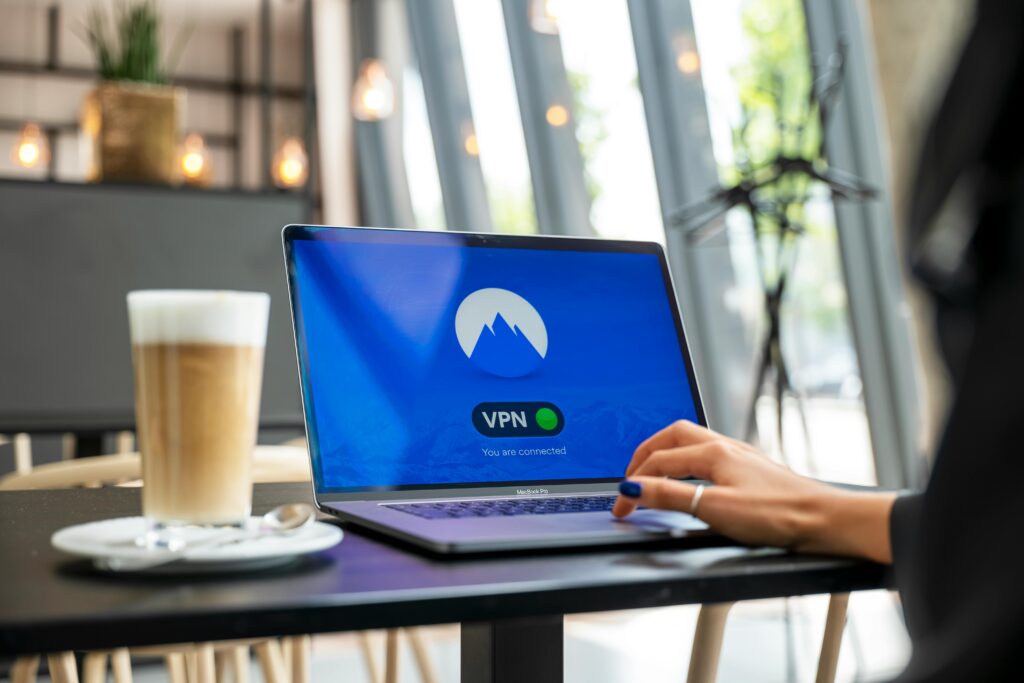
A Virtual Private Network (VPN) closes that gap. It creates an encrypted tunnel between your employees and your business systems, ensuring that data in transit cannot be intercepted regardless of what network it crosses. VPN adoption has surged over 40% since 2024 as remote work became permanent for millions — but adoption and correct configuration are different things. A poorly configured VPN creates a false sense of security while leaving critical gaps open. A correctly configured one is one of the most practical and accessible security investments a small or medium-sized business can make.
This guide walks you through every stage: understanding what a business VPN actually does, choosing the right type and protocol for your needs, selecting a provider, deploying it across your organization, and maintaining it over time. Whether you have five employees or five hundred, the principles are the same — and the setup is more accessible than most business owners assume.
What a Business VPN Actually Does — and What It Doesn’t
Before configuring anything, it is worth being precise about what a VPN provides and what it does not, because the misconceptions around this are common and costly.
A VPN creates an encrypted tunnel between a device and a VPN server, ensuring that data traveling between them cannot be easily intercepted. All traffic that passes through this tunnel is encrypted — meaning that even if an attacker is monitoring the network the traffic crosses, they see encrypted data that is computationally impractical to decrypt with current technology. The VPN also masks the originating IP address of the connection, replacing it with the VPN server’s address.
For businesses, the primary value is not anonymity — it is security. Specifically, a business VPN provides:
- Encrypted transit for remote employees: An employee connecting from public Wi-Fi at an airport lounge sends their traffic through an encrypted tunnel rather than across an open network where it could be monitored
- Secure access to internal resources: Systems, servers, databases, and applications that should not be exposed to the open internet can be made accessible only through the VPN — invisible and inaccessible to anyone who is not a VPN-authenticated user
- Connection security for branch offices: Site-to-site VPNs connect multiple physical locations over an encrypted private network, replacing expensive dedicated lines with secure internet connections
- Compliance support: Many regulatory frameworks — GDPR, HIPAA, PCI DSS — require encryption of data in transit. A properly configured VPN provides documented evidence of that encryption
What a VPN does not provide is equally important to understand:
- A VPN does not protect against malware on the endpoint device — an employee whose laptop is infected with a keylogger is still compromised regardless of VPN status
- A VPN does not protect against phishing — an employee who enters their credentials on a fake login page is compromised whether or not they are on a VPN connection
- A VPN is not a substitute for endpoint protection, MFA, or a firewall — it is one layer in a multi-layer security architecture, not a complete solution
- A VPN does not guarantee the security of the systems at the destination — if your internal servers are misconfigured or unpatched, the VPN secures the path to them without securing the systems themselves
With these boundaries understood, a VPN becomes exactly what it should be: a powerful, practical security control for the specific risk of data in transit and unauthorized access to internal resources — deployed alongside the other controls that address the risks it cannot cover.
Step 1: Define Your Requirements Before Choosing Anything
The most common VPN setup error is selecting a solution before understanding what problem it needs to solve. The right VPN architecture depends on your specific business profile, and choosing the wrong type creates either security gaps or unnecessary complexity.
Before selecting or configuring any technology, document what you are protecting and why. Answer these questions:
What do remote employees need to access? If your employees primarily use cloud applications — Microsoft 365, Google Workspace, Salesforce, Xero — they may need VPN primarily for the encryption benefit on public networks, not for access to on-premises servers. If they need access to internal servers, file systems, or databases that are not cloud-hosted, the VPN needs to provide a secure path to those specific resources.
How many users and devices need VPN access? This determines the capacity requirements for your VPN solution and whether a managed business VPN service or a self-hosted solution better fits your operational scale and technical capability.
Do you have multiple office locations that need to connect securely? If your business operates from more than one physical location and those locations need to communicate securely — sharing file servers, accessing centralized databases, running unified phone systems — you need site-to-site VPN capability in addition to or instead of remote access VPN.
What devices will connect? Windows, macOS, iOS, and Android all support VPN clients, but their configuration paths differ. BYOD environments — where employees use personal devices — add complexity around ensuring that VPN clients are installed and active on devices your company does not directly manage.
What is your technical capability for ongoing management? A self-hosted VPN server gives you maximum control and flexibility, but requires someone with Linux server administration skills to configure, maintain, patch, and troubleshoot it. A managed business VPN service trades some flexibility for simplicity and vendor support. Be honest about which model your organization can sustain.
Step 2: Choose the Right VPN Type
There are three VPN architectures relevant to small and medium business deployments. Understanding the difference before choosing is essential.
Remote Access VPN
A remote access VPN allows individual employees to connect securely to the corporate network or specific resources from any location. This is the most common VPN type for small businesses and the appropriate starting point for organizations whose primary need is securing remote employee connections.
With a remote access VPN, each employee installs a VPN client on their device. When they need to access company systems, they connect to the VPN server, which authenticates them and establishes an encrypted tunnel. While connected, their traffic to internal resources travels through that tunnel. When they disconnect, normal internet routing resumes.
This is the right architecture for businesses with remote or hybrid employees who need secure access to internal resources or simply need encrypted connections when working from public networks.
Site-to-Site VPN
A site-to-site VPN connects two or more networks — typically different office locations — over an encrypted private tunnel. Unlike remote access VPNs, which are configured on individual devices, site-to-site VPNs are configured on the network routers or firewalls at each location. Users at both locations access shared resources as if they were on the same local network, without needing to install or activate any VPN client software on their individual devices.
This is the right architecture for businesses with multiple physical locations that need to share resources — a retail company with a head office and branch locations, a manufacturer with multiple facilities, or a professional services firm with regional offices.
Cloud VPN
Cloud VPN solutions are hosted and managed by third-party providers rather than deployed on-premises. They provide remote access VPN capability through a managed service with web-based administration, automatic updates, and vendor-managed infrastructure. For small businesses without dedicated IT staff, cloud VPN services offer a significant operational advantage over self-hosted alternatives.
NordLayer, Perimeter 81, and Cisco Meraki represent the range of cloud VPN options available to businesses in 2026, from accessible SMB-focused platforms to more sophisticated enterprise-grade solutions. Most businesses with fewer than 50 employees will find a cloud VPN service the most practical and cost-effective option, provided the chosen service offers adequate security features and the right protocol support.
Step 3: Choose the Right VPN Protocol
The protocol your VPN uses determines its security strength, performance characteristics, and compatibility with your existing infrastructure. Three protocols dominate the business VPN landscape in 2026, each with distinct trade-offs.
WireGuard — The 2026 Performance and Simplicity Standard
WireGuard is the recommended default protocol for most new business VPN deployments in 2026. It was designed from the ground up with modern cryptography, a dramatically simplified codebase compared to older protocols, and superior performance — particularly for mobile users who frequently switch between networks.
WireGuard’s codebase contains approximately 4,000 lines of code, compared to OpenVPN’s 70,000+. This smaller surface area means fewer potential vulnerabilities and faster security audits. Its performance advantage is measurable: connections establish faster, speeds are higher, and battery impact on mobile devices is significantly lower than with competing protocols.
WireGuard is the recommended protocol for most businesses starting VPN deployment in 2026, and is the default choice for cloud VPN services including NordLayer and Perimeter 81. The primary consideration is that WireGuard is newer, with less legacy hardware support — if your network infrastructure includes older firewalls or routers that do not support WireGuard passthrough, IPSec may be more practical.
OpenVPN — The Flexible Standard
OpenVPN is a mature, widely supported, and highly configurable open-source VPN protocol. It has been audited extensively, runs on virtually every operating system and hardware platform, and supports a wide range of encryption configurations. Its primary disadvantage is complexity: configuration requires more expertise than WireGuard, and its performance is lower, particularly on high-latency connections.
OpenVPN remains the right choice for businesses with heterogeneous infrastructure, specific compliance requirements that mandate particular cipher configurations, or environments where WireGuard support is not available on existing hardware. OpenVPN Access Server is frequently chosen when web-based administration, user management, and MFA support are desired without manually configuring every component.
IPSec — The Enterprise Compatibility Standard
IPSec is the most widely deployed protocol for site-to-site VPN connections. It operates at the network layer and encrypts all IP packets between two endpoints. IPSec’s strength is its universal hardware support — every major firewall vendor including Fortinet, Cisco, Palo Alto, SonicWall, and WatchGuard supports IPSec natively, making it the default choice for site-to-site tunnels between different vendor equipment.
IPSec is the right choice for site-to-site deployments, particularly where different hardware vendors are involved at the two endpoints. For remote access, WireGuard or OpenVPN typically offer better user experience and simpler client management.
Protocol to avoid: PPTP (Point-to-Point Tunneling Protocol) is an obsolete protocol with documented security vulnerabilities that have been publicly known for years. If your current VPN uses PPTP, migrating to WireGuard or OpenVPN is a security priority, not merely a best practice recommendation.
Step 4: Select and Configure Your VPN Solution
With your requirements defined, your VPN type selected, and your protocol chosen, you are ready to select a specific solution and begin configuration. The implementation path differs between cloud VPN services and self-hosted solutions.

Option A: Cloud Business VPN Service (Recommended for Most Small Businesses)
For businesses without dedicated IT infrastructure or technical staff, a managed cloud VPN service is the most practical path. The setup process follows a consistent pattern across providers:
1. Subscribe and set up your organization account. Create your business account with your chosen provider. Business VPN services are typically priced per user per month — NordLayer, for example, starts at approximately $7–9 per user per month for the entry tier. Enable multi-factor authentication on the admin account immediately after creation.
2. Create your VPN gateway or server location. Select the server location(s) your VPN traffic will route through. For most businesses, a server in the same country as your primary operations minimizes latency. If your business has employees in multiple countries, select servers in each primary region. Cloud VPN providers manage server maintenance, updates, and availability — this is the primary operational advantage over self-hosted solutions.
3. Create user accounts and define access groups. Add each employee who needs VPN access as a user in the admin console. Define access groups that reflect your organizational structure and least-privilege requirements — finance staff may need access to different internal resources than sales or support teams. The principle of least privilege applies to VPN access as to all other access controls: users should access only the specific resources their role requires, not the full network.
4. Enable multi-factor authentication on all VPN accounts. Neglecting MFA on VPN connections is one of the most common and most costly configuration mistakes. A VPN protected only by username and password is one compromised credential away from giving an attacker full access to your network. MFA on VPN accounts is non-negotiable for any business deployment in 2026. Configure it before distributing credentials to employees.
5. Configure access controls and network segmentation. Define which internal resources each access group can reach through the VPN. Avoid granting all VPN users full network access — once connected, they should access only the systems relevant to their role. This limits the blast radius if a VPN credential is compromised: an attacker with a support team member’s credentials should not be able to reach financial databases.
6. Deploy the VPN client to employee devices. Most business VPN providers offer client applications for Windows, macOS, iOS, and Android. Distribute installation instructions to employees with their credentials, or use your device management platform to deploy the client automatically to managed devices. For BYOD environments, provide clear written instructions for each device type and verify installation before granting network access.
Option B: Self-Hosted VPN (For Businesses with Technical Capability)
For businesses with Linux server administration expertise — or access to an IT provider who can manage the infrastructure — a self-hosted VPN provides maximum control over data and configurations. The most practical self-hosted approach for small businesses in 2026 uses WireGuard on a cloud-hosted Linux server (VPS).
1. Provision a Virtual Private Server (VPS). Select a cloud hosting provider — DigitalOcean, Linode, Hetzner, or AWS Lightsail all offer suitable VPS products at accessible price points. Choose a VPS location close to your primary users to minimize latency. Minimum specifications: 1 GB RAM (2 GB recommended), Ubuntu 22.04 LTS as the operating system, a static public IP address.
2. Update the system and apply security hardening. After initial provisioning, run system updates to apply all available security patches. Disable root SSH login, configure key-based authentication, and set up a basic firewall (UFW) allowing only necessary ports before installing any VPN software.
3. Install and configure WireGuard. On Ubuntu, WireGuard installs in a single command. The configuration involves generating server and client key pairs, defining the server’s network interface and allowed IP ranges, and enabling IP forwarding so client traffic routes correctly through the server. Several well-maintained installation scripts — including the Nyr and Angristan scripts available on GitHub — automate the key generation and configuration steps, significantly reducing the complexity for administrators who are competent Linux users but not VPN specialists.
4. Configure the firewall. Open the WireGuard UDP port (default 51820) in both your server’s firewall and your cloud provider’s security group. Block all other unnecessary inbound traffic. Configure NAT rules so that VPN client traffic routes to the internet through the server’s primary network interface.
5. Generate and distribute client configurations. For each employee who needs VPN access, generate a client key pair and a configuration file (.conf). The configuration file contains the client’s private key, the server’s public key, the server’s IP address and port, and the allowed IP ranges that will route through the VPN. Distribute these files securely — through encrypted email, a secure file share, or your IT management platform — not through unencrypted channels.
6. Integrate with your identity provider for MFA. Self-hosted WireGuard does not natively support username/password authentication or MFA — authentication is based on cryptographic key pairs, which provides strong security but requires careful key management. Integrate with an identity provider or add an authentication layer if your security requirements include MFA on VPN connections.
Step 5: Test the VPN Before Rolling Out to All Users
Before distributing VPN credentials to every employee, validate that the configuration works correctly and that access controls are behaving as intended. A structured pre-rollout test prevents the discovery of configuration errors under operational conditions.
Connectivity test: Connect to the VPN from each major device type that employees will use — Windows laptop, Mac laptop, iOS, Android. Verify that the connection establishes successfully and that traffic routes through the VPN by checking the IP address from a site like whatismyip.com while connected — it should show the VPN server’s IP, not the device’s local IP.
Access control test: Verify that users in each access group can reach the resources they should access and cannot reach resources they should not. A finance team member should be able to access the accounting server; the same user should not be able to access the HR database or the development environment if those are not in their access group.
Split tunneling decision test: Split tunneling determines whether only traffic destined for internal resources routes through the VPN, or whether all internet traffic routes through it. Full tunneling (all traffic through VPN) provides maximum security and visibility but increases latency for cloud applications. Split tunneling (only internal traffic through VPN) improves performance for cloud applications but means that other internet traffic is not protected by the VPN. Make a deliberate decision appropriate to your risk profile rather than accepting a default.
Kill switch test: A VPN kill switch cuts internet access if the VPN connection drops unexpectedly — preventing unencrypted traffic from accidentally reaching the internet when the VPN goes down. Verify this feature is enabled and functioning in your chosen client. This is particularly important for employees who regularly work on public Wi-Fi, where the consequences of an unexpected disconnection are highest.
Performance test: Measure connection speeds and latency with the VPN active versus inactive. Some performance impact is expected — traffic must travel to the VPN server and back — but the impact should be acceptable for normal business operations. If speeds are significantly degraded, try a different server location closer to your users or evaluate whether a higher-performance protocol would help.
Step 6: Deploy to Employees With Training
Technical deployment is the easier half of VPN rollout. The harder half is ensuring that employees use the VPN consistently, understand why it matters, and know what to do when it does not work.

Provide clear, role-specific instructions. Create written instructions for each device type your employees use — a one-page guide for Windows, one for Mac, one for iOS, one for Android. The guide should cover how to install the client, how to connect, how to verify connection status, and who to contact if they encounter problems. Non-technical employees should not need to read the VPN documentation to use it effectively.
Establish a usage policy. Define when VPN use is required. The most secure policy — always on when accessing any company system or data, regardless of network — provides maximum protection but requires the VPN to be reliable enough that it does not create friction that employees route around. At minimum, require VPN use whenever connecting from public Wi-Fi, from personal networks, or from any network outside your primary office.
Communicate the why, not just the what. Employees who understand why the VPN protects them are more likely to use it consistently than those who see it as an IT requirement to comply with. A brief explanation of what happens to unencrypted traffic on public networks — and what has happened to businesses that did not protect remote connections — creates the context that drives voluntary compliance.
Plan for onboarding and offboarding. VPN account creation should be part of your employee onboarding checklist. VPN account deactivation must be part of your offboarding checklist — a former employee with an active VPN account and valid credentials has access to your internal network from anywhere in the world. Deactivation on the day of departure is non-negotiable.
Step 7: Maintain and Monitor Your VPN Ongoing
A VPN is not a one-time setup — it requires continuous monitoring and updates. Combine it with endpoint protection, security awareness training, and regular audits to build a resilient cybersecurity posture. Specifically, VPN maintenance requires:
Regular software updates. VPN server software and client applications contain code that is subject to newly discovered vulnerabilities. Keep VPN server software patched on the same schedule as other business-critical systems — critical security patches within 72 hours of release. Outdated VPN clients on employee devices are a frequently overlooked vulnerability; implement automated client update requirements through your endpoint management platform where possible.
Log monitoring and anomaly detection. A VPN without logging is a blind spot in your security posture. You cannot investigate incidents, demonstrate compliance, or detect misuse without connection logs. Configure your VPN to log connection events — who connected, from what IP address, at what time, to what resources — and review those logs at least monthly. Anomalies to investigate include: connections from unusual geographic locations, connections at unusual hours, connections from new devices not previously seen, and users accessing resources outside their normal patterns.
Certificate and credential rotation. For self-hosted VPN deployments using certificate-based authentication, rotate server and client certificates at defined intervals. For cloud VPN services, rotate API keys and admin credentials periodically and immediately upon any personnel change that includes someone with admin access.
Regular access reviews. Quarterly, audit the list of VPN users and their access groups against your current employee roster and role requirements. Remove access for anyone who has left the organization, changed roles such that their previous access is no longer appropriate, or has not used the VPN in an extended period (typically 90 days). Stale access credentials are an exploitable attack surface.
Annual architecture review. The VPN configuration appropriate for a five-person business may not be adequate for a fifty-person one. Review your VPN architecture annually against your current business requirements — user count, device types, remote work policies, compliance requirements, and the evolution of the threat landscape. Zero Trust Network Access (ZTNA) is an emerging architecture that provides more granular access control than traditional VPN for cloud-native environments; evaluate whether integrating ZTNA capabilities alongside your VPN provides meaningful security improvements as your cloud adoption matures.
Common VPN Configuration Mistakes to Avoid
The following mistakes appear consistently in business VPN deployments and each creates a specific security gap worth explicitly avoiding:
No MFA on VPN accounts. Granting VPN access with username and password only is one of the most dangerous configurations available. A single compromised credential — obtained through phishing, credential stuffing, or a third-party data breach — gives an attacker authenticated access to your internal network from anywhere in the world. MFA on VPN connections is not optional in 2026.
Granting full network access to all VPN users. Once connected, every user has the same access as if they were physically in the office. This violates the principle of least privilege and massively increases the blast radius of a compromised account. Implement role-based access controls from day one, even if your initial deployment starts simple.
Using an outdated protocol. If your current VPN uses PPTP or L2TP without IPSec, you are using protocols with documented vulnerabilities that have been public knowledge for years. Migrate to WireGuard or OpenVPN.
No kill switch. Without a kill switch, if the VPN connection drops unexpectedly, the device continues connecting to the internet unencrypted — defeating the protection the VPN was providing. Enable kill switch functionality in the client and verify it is working.
Failing to deactivate departed employee accounts. Former employee VPN credentials that remain active represent an unrestricted access path into your network. Every offboarding checklist must include VPN account deactivation on the day of departure.
No logging. A VPN running without connection logs provides no visibility into who accessed what, when, and from where. This makes incident investigation impossible and compliance demonstration impractical. Enable logging from the first day of deployment.
Frequently Asked Questions
How much does a business VPN cost?
Business VPN services typically cost between $5 and $15 per user per month, depending on the provider, features, and volume. A five-person team on NordLayer would cost approximately $35–45 per month at entry-tier pricing — a trivial investment relative to the risk it mitigates. Self-hosted alternatives have lower per-user costs once the server is provisioned but require technical resources to maintain. Annual billing typically reduces costs by 20–30% compared to monthly billing.
Does a VPN slow down internet speed?
All VPNs introduce some performance overhead — traffic must travel to the VPN server and be encrypted/decrypted, which adds latency and slightly reduces throughput. The impact varies by protocol (WireGuard has the lowest performance impact of current protocols), server distance (closer servers produce less latency), and server load. For most business applications — email, cloud file access, video conferencing — the performance impact of a well-configured modern VPN is negligible. For bandwidth-intensive tasks like large file transfers, the impact is more noticeable but typically acceptable.
Is a VPN enough to secure remote workers?
No — a VPN is one layer of a multi-layer remote work security architecture. It secures data in transit and controls access to internal resources. It does not protect against endpoint malware, phishing, credential theft after entry, or insecure applications on the destination servers. Complete remote work security requires a VPN combined with endpoint protection (EDR) on all devices, multi-factor authentication on all accounts, security awareness training for all employees, and regularly patched and monitored internal systems.
What is split tunneling and should I use it?
Split tunneling routes only traffic destined for internal resources through the VPN, while other internet traffic (cloud applications, general browsing) goes directly to the internet without the VPN. It improves performance for cloud-heavy workflows but means that non-internal traffic is not protected by VPN encryption. Full tunneling routes all traffic through the VPN, providing maximum security and visibility but increasing latency for all internet activity. For businesses with strict security requirements or handling sensitive customer data, full tunneling is the more conservative and defensible choice. For businesses where employee experience with cloud applications is a priority, carefully configured split tunneling is a reasonable compromise.
When should a business consider ZTNA instead of VPN?
Zero Trust Network Access (ZTNA) provides application-level access control — users are granted access to specific applications, not to the network as a whole. It excels in cloud-native environments where most resources are hosted externally rather than on internal servers. VPN remains more practical for businesses with significant on-premises infrastructure, site-to-site connectivity needs, and legacy applications. Most businesses in 2026 will use both — VPN as the foundation for network connectivity and legacy access, with ZTNA layered on top as cloud adoption matures. Many modern VPN platforms including Fortinet, Palo Alto, and Zscaler now offer integrated ZTNA features alongside traditional VPN, making the transition gradual rather than disruptive.
Final Thoughts: A VPN Is a Foundation, Not a Finish Line
Setting up a VPN for your business is not the completion of a security project — it is the establishment of one essential component of a security architecture. The businesses that benefit most from their VPN investment are those that deploy it correctly, configure it with the principle of least privilege, enforce MFA on every account, maintain it proactively, and embed it within a broader security program rather than treating it as a standalone solution.
The technical steps in this guide are more accessible than most business owners assume. A cloud VPN service can be operational for a small team within an afternoon of focused work. A self-hosted WireGuard deployment, for a business with Linux server capability, is achievable in a day with adequate preparation. The hard part is not the technical setup — it is the ongoing discipline of maintaining access controls, monitoring logs, keeping software current, and ensuring that every new employee is onboarded and every departing one is offboarded from the system on the appropriate day.
Get the technical setup right. Get the policy right. Get the maintenance right. And then treat the VPN for what it is: one well-configured layer of a defense that, combined with the others described throughout this series, gives your business the comprehensive protection that the modern threat landscape demands.
⚠️ Disclaimer: This article is for informational and educational purposes only. VPN technology, protocols, and provider offerings evolve rapidly. Product and pricing information reflects publicly available data as of early 2026 and is subject to change. Every business’s network environment and security requirements are different — consult a qualified IT or cybersecurity professional before implementing VPN infrastructure in your organization. This article does not constitute endorsement of any specific vendor or product.