
You do not need six months, a dedicated IT team, or an enterprise budget to dramatically improve your business’s cybersecurity posture. You need 24 hours and the right sequence of actions. Most of the damage that cyberattacks cause to small and medium-sized businesses happens because of gaps that are entirely fixable — not sophisticated vulnerabilities that require expert hackers to exploit, but basic, well-known weaknesses that attackers scan for automatically and exploit within minutes of finding.

Consider the data: 81% of U.S. small businesses suffered a cybersecurity breach, a data breach, or both in the past year, with more than half of the victims reporting financial losses between $250,000 and $1 million. And yet only 14% of small businesses have a dedicated cybersecurity professional. The gap between the threat and the preparation is not a gap in resources — it is a gap in priorities. This article closes that gap, action by action, in a single day.
What follows is a structured 24-hour plan — divided into four six-hour blocks — that takes you from whatever your current security posture is today to a meaningfully hardened, defensible position by tomorrow. Not perfect security. Not enterprise-grade protection. But a position where the vast majority of opportunistic attacks that target businesses like yours will fail — and where a targeted attack will face significantly more friction than most attackers are willing to tolerate.
Start now. Every hour you delay is an hour your current gaps remain open.
Before You Begin: The One Mindset Shift That Changes Everything
Most small business owners approach cybersecurity the wrong way. They think of it as a technical problem — something for the IT person to handle, something that requires specialized knowledge, something that can wait until there is a dedicated budget or a dedicated staff member to own it.
This framing is wrong, and it is expensive. Cybersecurity is about culture as much as it is about technology. Most organizations fall into the trap of thinking the IT team alone is responsible for security. As a result, they make common mistakes that increase the odds of a compromise.
The reframe that makes everything else in this plan work: cybersecurity is a business continuity and revenue protection discipline, not an IT discipline. Every hour your systems are down costs you money. Every customer record exposed costs you trust. Every wire transfer sent to a criminal costs you capital you may never recover. Security is not overhead — it is insurance against outcomes that can end your business.
A single breach can cost thousands, damage your reputation, and disrupt operations. SMBs are prime targets for cybercriminals because they often lack the layered defenses of larger enterprises. The defenses in this guide are not layered and complex. They are simple, fast, and free or very low cost. The only reason not to implement them is the decision not to.
Make the decision. Then start the clock.
Hours 1–6: Identity and Access — Lock the Front Door
The majority of cyberattacks begin the same way: a criminal obtains a valid credential and uses it to log in as a legitimate user. Everything that follows — data theft, ransomware, financial fraud — flows from that initial, simple act of logging in with a stolen password. The actions in this first block prevent that entry point from being the vulnerability it currently is for most businesses.
Action 1: Enable Multi-Factor Authentication on Every Business Account (Hours 1–2)
This is the single highest-impact security action available to any business, and it takes less than two hours to implement across most account portfolios. Weak or reused passwords are among the most common causes of data breaches. Requiring employees to use strong, unique passwords and enabling MFA on all critical accounts is one of the simplest and most effective ways to enhance security.
MFA adds a second verification step — a code sent to a phone, a biometric confirmation, or an authenticator app — that makes a stolen password alone useless. Even if a criminal has the correct username and password for your email account, your accounting software, or your bank portal, they cannot log in without the second factor.
Work through this list in order of priority:
- Business email (Google Workspace, Microsoft 365, or other): highest priority — email is the entry point for most cyberattacks and the source of most credential resets. Enable MFA today, not this week.
- Business banking and payment platforms: direct financial access — any account that can move money must have MFA enabled before anything else happens.
- Cloud storage (Google Drive, Dropbox, OneDrive): where your sensitive files, contracts, and customer data live.
- Accounting and payroll software (QuickBooks, Xero, Gusto, etc.): direct access to financial records and employee personal data.
- CRM and customer data platforms: contain customer personal information with breach notification obligations if compromised.
- Social media business accounts: account takeovers broadcast damaging content to your entire audience instantly.
- Domain registrar and hosting control panel: hijacking your domain gives attackers control over your website and email infrastructure.
- Any VPN or remote access tools: the entry point for network-level attacks if left unsecured.
Use an authenticator app — Google Authenticator, Microsoft Authenticator, or Authy — rather than SMS verification where possible. SMS-based codes can be intercepted through SIM-swapping attacks; authenticator apps generate codes locally on the device and are significantly more secure.
The most important step an organization can make is to ensure that all staff use MFA to log into key systems, especially email. If you can do nothing else today, do this. It is the single measure that prevents more attacks than any other.
Action 2: Deploy a Business Password Manager (Hours 2–3)
Credential reuse is the mechanism by which a single leaked password from one website becomes the key to dozens of your business accounts. An attacker who obtains your employee’s password from a data breach at an unrelated website will immediately test that combination against your email, your bank, your cloud storage, and every other account they can identify. If the password is reused, they are in.

A business password manager — 1Password Teams, Bitwarden Business, or Dashlane for Business are leading options, all available for under $5 per user per month — solves this by generating a unique, complex, randomly generated password for every account and storing those passwords in an encrypted vault accessible only with a master password and MFA.
Today’s implementation steps:
- Select and subscribe to a business password manager. Most offer free trials of 14–30 days to start immediately.
- Install the browser extension and desktop app on your primary device.
- Begin importing and updating credentials for your highest-priority accounts — email, banking, cloud storage, accounting tools.
- Send instructions to all employees with business account access. Schedule a 15-minute team walkthrough for tomorrow.
Full rollout across your team will take a few days. What matters today is that the accounts with the highest financial or data risk have strong, unique passwords immediately.
Action 3: Secure Your Email Domain Against Spoofing (Hours 4–6)
Email spoofing — where criminals send emails that appear to come from your domain — damages your business in two directions: it enables attackers to defraud your customers and partners while impersonating you, and it means your legitimate emails may be flagged as spam when recipients’ email systems cannot verify their authenticity.
Three DNS-based authentication protocols completely prevent domain spoofing when properly configured. Your IT provider, managed email service, or even your domain registrar’s support team can implement all three in under an hour:
- SPF (Sender Policy Framework): a DNS record that specifies which mail servers are authorized to send email on behalf of your domain. Any email sent from an unauthorized server fails SPF verification and is flagged or rejected.
- DKIM (DomainKeys Identified Mail): adds a cryptographic digital signature to outgoing emails that recipients can verify was generated by an authorized sender. Criminals sending spoofed emails from your domain cannot generate valid DKIM signatures.
- DMARC (Domain-based Message Authentication, Reporting, and Conformance): tells receiving mail servers what to do with emails that fail SPF and DKIM verification — quarantine them, reject them, or flag them. DMARC also sends you reports on authentication results, alerting you if someone is attempting to spoof your domain.
Check your current status at MXToolbox.com — a free tool that analyzes your domain’s email authentication configuration and shows you exactly what is and is not in place. If any of the three records are missing, have them configured today. This is one of the most impactful email security improvements available to any business, and it costs nothing beyond the implementation time.
Hours 7–12: Data and Devices — Protect What You Cannot Afford to Lose
The second block addresses the two assets that attackers most commonly target: your data and your devices. A ransomware attack encrypts your data and holds it hostage. A device compromise gives attackers persistent access to your network. The actions in this block make both attacks dramatically less damaging.
Action 4: Implement the 3-2-1 Backup Strategy (Hours 7–9)
Backups are the single most important defense against ransomware — the attack that has shut down hospitals, school districts, and thousands of small businesses by encrypting critical data and demanding payment for restoration. Ransomware attacks are still a major threat, and in many cases, businesses pay simply because they don’t have a backup. A backup you have never tested is not a backup you can trust.
The industry-standard backup architecture is the 3-2-1 rule:
- 3 copies of your data (the original plus two backups)
- 2 different storage media types (for example, local external drive plus cloud storage)
- 1 copy stored offsite or in immutable cloud storage, isolated from your primary network
The “immutable” requirement for the cloud copy is critical: immutable storage cannot be modified or deleted by anyone — including ransomware that has compromised your network. Standard cloud sync tools like Dropbox or Google Drive are not sufficient for this purpose — ransomware that encrypts your local files will simply sync the encrypted versions to the cloud, overwriting your clean backups. Use a dedicated backup service with versioning and immutable storage: Backblaze Business Backup, Acronis Cyber Protect, or similar tools designed specifically for this purpose.
Today’s implementation steps:
- Identify your critical data: customer records, financial data, contracts, intellectual property, operational files. Categorize by importance — not everything needs the same backup frequency.
- Subscribe to a cloud backup service with immutable storage and version history. Many offer immediate setup and free trials.
- Configure automated daily backups of your critical data to run overnight.
- Verify that an external or secondary backup also exists for your most critical files.
- Schedule a restoration test for next week — run through the process of restoring a file from backup to confirm it works before you need it under pressure.
The Microsoft success story that illustrates this perfectly: a manager at a small accounting firm received a ransomware demand on their computer screen. The manager contacted the company’s IT person, who shut down the business’s network, and an investigation revealed that cybercriminals had spread a virus across the company’s data. Using data backups stored off-site, the company recovered quickly, without paying the ransom. The backup was the difference between a contained incident and a catastrophic financial loss.
Set a schedule for updating programs, apps, web browsers, and operating systems. Turn on automatic updates. This is not a one-time task — it is a permanent habit. Automatic updates remove the human decision point that allows critical patches to go unapplied for weeks or months.
Action 5: Deploy Endpoint Protection on Every Business Device (Hours 10–12)
Traditional antivirus is no longer sufficient against modern threats. Endpoint Detection and Response (EDR) solutions go beyond signature-based virus detection to monitor device behavior in real time — detecting ransomware attempting to encrypt files, malware attempting to exfiltrate data, and unauthorized processes attempting to escalate privileges before significant damage occurs.

For most small businesses, the most practical options are:
- Microsoft Defender for Business: included with Microsoft 365 Business Premium subscriptions, providing enterprise-grade EDR capabilities at no additional cost for businesses already using Microsoft 365. If you use Microsoft 365, enable Defender for Business in your admin portal today.
- CrowdStrike Falcon Go: lightweight, cloud-managed EDR designed for small businesses with minimal IT overhead.
- SentinelOne Singularity: AI-driven endpoint protection with autonomous threat response that does not require a security operations center to be effective.
- Malwarebytes for Teams: accessible entry-level option for very small businesses with straightforward threat environments.
Today’s goal is to have endpoint protection running on every device that accesses business data — laptops, desktops, and where possible, mobile devices. If your business already has antivirus installed, verify it is current and consider whether upgrading to EDR is appropriate given the sophistication of current threats.
Hours 13–18: Network and Communications — Control What Enters and Exits
The third block hardens your network perimeter and communication channels — the pathways through which attackers enter your systems and through which data can be exfiltrated once inside.
Action 6: Secure Your Business Wi-Fi Network (Hours 13–14)
Your Wi-Fi network is the gateway to every device connected to it. An unsecured or poorly configured wireless network gives any attacker within range access to your business systems — no phishing required, no social engineering, no sophisticated tools.
Implement these Wi-Fi security measures today:
- Change default router credentials immediately. Most routers ship with default admin usernames and passwords — “admin/admin” or “admin/password” — that are publicly known. Log into your router admin panel (typically at 192.168.1.1 or 192.168.0.1) and change both the admin username and password to something strong and unique.
- Use WPA3 or WPA2 encryption. Verify your network is using WPA2 or WPA3 encryption in your router settings. WEP is obsolete and should never be used. WPA3 is the current standard where supported.
- Create a separate guest network for visitors. Any device that does not need access to your business systems — customer devices, personal phones, IoT devices like smart TVs or printers — should be on an isolated guest network that cannot communicate with your primary business network.
- Disable WPS (Wi-Fi Protected Setup). WPS is a convenience feature with known security vulnerabilities. Disable it in your router settings.
- Rename your network SSID to something non-identifying. Avoid network names that identify your business, your router brand, or your physical location. A generic name provides no intelligence to attackers scanning for targets.
Action 7: Set Up a VPN for Remote Access (Hours 15–16)
If any employee — including you — accesses business systems from outside the office network, a Virtual Private Network (VPN) encrypts that connection and prevents interception of data in transit. This is particularly critical for employees working from coffee shops, hotels, airports, or other public Wi-Fi environments where network traffic can be monitored by anyone on the same network.
Business VPN solutions — NordLayer, Perimeter 81, Cisco Meraki, or similar — provide centralized management, user-level access controls, and the ability to restrict business system access to connections originating through the VPN. This creates a consistent, controlled network perimeter regardless of where employees are physically located.
For solopreneurs or very small teams, a subscription to a reputable commercial VPN service provides basic protection for an affordable monthly fee. What matters is that remote access to business systems never occurs over unsecured public connections without encryption.
Action 8: Segment Your Network (Hours 16–18)
Network segmentation is the practice of dividing your business network into isolated zones so that a compromise in one area cannot automatically spread to others. Without segmentation, an attacker who gains access to one device on your network can move laterally to every other device connected to it — what security professionals call “lateral movement.”
For small businesses, the most practical implementation of network segmentation involves:
- Separating operational technology from information technology: if your business uses IoT devices — smart printers, surveillance cameras, point-of-sale systems, smart locks — place them on a dedicated VLAN (Virtual Local Area Network) isolated from computers handling financial or customer data
- Isolating servers and network-attached storage (NAS): file servers and storage devices containing sensitive data should be on a separate segment accessible only to authorized devices and users
- Creating a DMZ for public-facing services: any web server or service accessible from the internet should be isolated from your internal network in a demilitarized zone
Most modern business routers and managed switches support VLAN configuration. If this is outside your technical comfort zone, your managed IT provider can implement basic network segmentation in a single afternoon — and the containment benefit in the event of a breach or ransomware attack is substantial.
Hours 19–24: People, Process, and Preparedness — Your Human Firewall
The final block addresses what remains one of the biggest risks: human error. Technology alone cannot secure a business. Every technical defense in the previous three blocks can be bypassed by a single employee who clicks the wrong link, responds to the wrong request, or makes the wrong assumption about an unusual email. The actions in this block build the human layer of defense that makes all the technical measures more effective.
Action 9: Conduct an Emergency Security Briefing With Your Team (Hours 19–20)
You do not need a formal training program to have a meaningful security conversation with your team today. A 30-minute briefing that covers the three scenarios most likely to result in a financial loss or data breach creates immediate, actionable awareness.
Cover these three topics specifically:
Phishing and how to recognize it in 2026. Modern phishing is not the obvious, grammatically broken messages of ten years ago. AI-generated phishing emails are contextually relevant, grammatically flawless, and personalized to the recipient. Teach employees to look for: sender addresses that look almost right but have subtle differences, urgent requests that deviate from normal procedures, any request asking them to click a link and enter credentials, and any attachment arriving unexpectedly even from a known sender. The rule: when in doubt, verify by phone before clicking or responding.
The wire transfer verification protocol. Establish and communicate today that any financial request — wire transfer, payment detail change, payroll update, gift card purchase — requires verbal verification to a known phone number before execution. No exceptions. No urgency overrides this rule. If the CEO sends an email asking for an emergency wire transfer, call the CEO’s mobile. If a vendor emails with updated bank details, call the vendor’s main number. This one protocol prevents the majority of Business Email Compromise losses.
How to report suspicious activity. Establish a clear, simple reporting process: who employees contact when they receive something suspicious, how to forward a suspicious email without clicking its links, and what happens if they accidentally click something they shouldn’t have. The culture must make reporting safe — an employee who reports a mistake immediately allows the business to contain damage before it escalates. An employee who hides a mistake out of fear of punishment gives the attacker hours or days of undetected access.
Action 10: Write a One-Page Incident Response Plan (Hours 20–22)
An incident response plan (IRP) does not need to be a 50-page document. For a small business, a single page that answers six questions is enough to prevent the paralysis and poor decision-making that characterize most breached businesses’ first hours:
- Who is responsible for leading the response? Name a specific person — typically the owner, operations manager, or most senior technical person available.
- What is the first action when an incident is suspected? Isolate affected devices from the network immediately — disconnect from Wi-Fi and unplug network cables — to prevent spread. Do not turn the device off, as this may destroy forensic evidence.
- Who do you call in the first hour? List the bank fraud department number, your cyber insurance claims contact, your IT provider or managed security service, and legal counsel. These numbers should be on paper — in a physical incident response binder — not only in a digital system that may be compromised.
- What are the breach notification obligations? If customer data is compromised, what laws apply? GDPR, CCPA, state breach notification laws, and sector-specific regulations each have different notification windows and requirements. Your legal counsel answers this question for your specific situation — but you need to have asked it before an incident occurs, not during one.
- How do you communicate during an incident? If your email is compromised, what is your backup communication channel? Designate a secondary communication method — a group messaging app, personal email accounts, a phone tree — that is independent of your business systems.
- When is the incident over? Define the criteria for returning to normal operations: systems restored from clean backups, credentials changed, forensic investigation complete, notification obligations fulfilled.
Review and approve the Incident Response Plan. The IRP is your action plan before, during, and after a security incident. Give it the attention it deserves in peace time, and involve leaders from across the organization. There will be no time to digest and refine it during an incident.
Print this plan. Put it in a physical binder. Give a copy to every person who would be involved in an incident response. A plan that only exists in your email is inaccessible when your email is compromised.
Action 11: Assign a Security Program Owner and Schedule a 30-Day Review (Hour 24)
The work you have done in the past 24 hours is a foundation, not a finish line. Cybersecurity is not a one-time project — it is an ongoing operational discipline that requires ownership, accountability, and regular review.
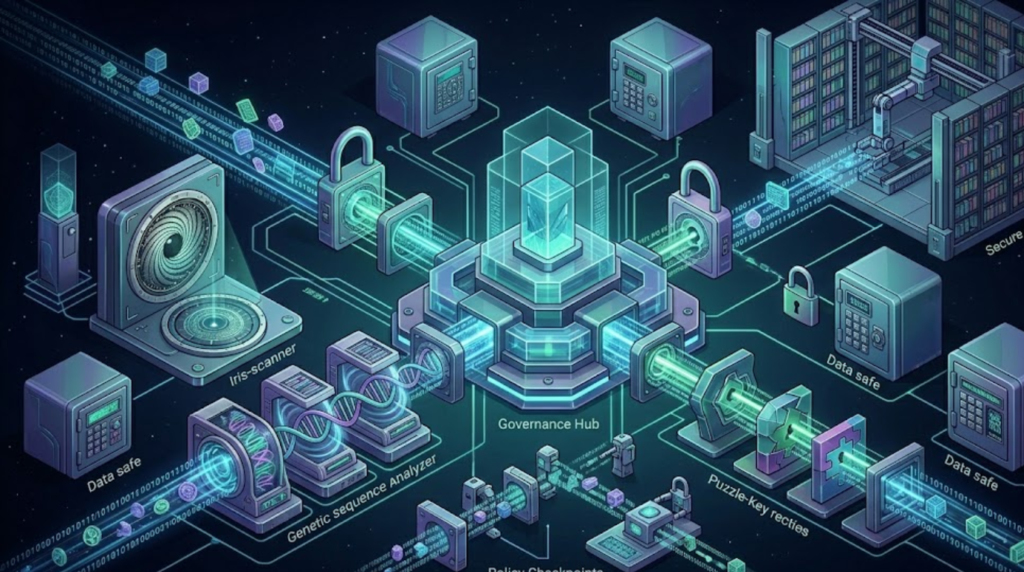
Select and support a Security Program Manager. This person does not need to be a security expert or even an IT professional. The Security Program Manager ensures your organization implements all the key elements of a strong cybersecurity program.
In a small business, this role often falls to the owner or a senior operations person. What matters is not the title — it is the accountability. This person ensures:
- MFA compliance is verified across all accounts on a quarterly basis
- Offboarding procedures include immediate account deactivation every time an employee or contractor leaves
- Software updates and patches are applied within the defined window
- Backup restoration is tested at least quarterly
- Security training is refreshed at least annually, or whenever a new significant threat type emerges
- The incident response plan is reviewed and updated at least annually
- Cyber insurance coverage is reviewed at least annually against current risk exposure
Schedule a 30-day review meeting now — put it in your calendar for 30 days from today. The agenda: what was completed in the 24-hour plan, what remains outstanding, what new actions the current threat landscape requires. Cybersecurity in 2026 is not about achieving perfection; it’s about maintaining consistency. You do not need enterprise-level systems or a massive budget. What you truly need is awareness, discipline, and a willingness to take action.
Your Complete 24-Hour Security Action Checklist
Use this checklist to track your progress through the plan and confirm each action is complete before moving to the next block.
Hours 1–6: Identity and Access
- ☐ MFA enabled on email (highest priority)
- ☐ MFA enabled on banking and payment platforms
- ☐ MFA enabled on cloud storage
- ☐ MFA enabled on accounting and payroll software
- ☐ MFA enabled on CRM and customer platforms
- ☐ MFA enabled on social media business accounts
- ☐ MFA enabled on domain registrar and hosting panel
- ☐ Business password manager selected and deployed on primary devices
- ☐ Ghost accounts audited and removed across all platforms
- ☐ Least-privilege access reviewed — unnecessary permissions removed
- ☐ SPF, DKIM, and DMARC configured on business email domain
Hours 7–12: Data and Devices
- ☐ Critical data identified and categorized
- ☐ Cloud backup service with immutable storage subscribed and configured
- ☐ Automated daily backup schedule set
- ☐ Backup restoration test scheduled
- ☐ Automatic OS updates enabled on all business devices
- ☐ Automatic browser and application updates enabled
- ☐ Router firmware updated
- ☐ Endpoint protection (EDR) deployed on all business devices
Hours 13–18: Network and Communications
- ☐ Default router credentials changed
- ☐ Wi-Fi encryption verified (WPA2/WPA3)
- ☐ Guest network created for non-business devices
- ☐ WPS disabled on router
- ☐ Email security filters configured (Microsoft Defender / Google Workspace Advanced Protection)
- ☐ External email warning banner configured
- ☐ VPN deployed for remote access
- ☐ Network segmentation assessed; IoT devices isolated where possible
Hours 19–24: People, Process, and Preparedness
- ☐ Emergency security briefing conducted with team
- ☐ Wire transfer verification protocol communicated and documented
- ☐ Suspicious activity reporting process established
- ☐ One-page incident response plan written and printed
- ☐ Key emergency contacts listed in physical incident response binder
- ☐ Cyber insurance reviewed or new coverage initiated
- ☐ Security Program Owner assigned
- ☐ 30-day review meeting scheduled
What Comes After 24 Hours: Building on the Foundation
The measures in this plan address the most common and most impactful vulnerabilities that attackers exploit against small businesses. Implementing all of them in a single day moves your business from the category of “easy target” to a significantly harder target — one that requires substantially more effort and sophistication to compromise than most opportunistic attackers are willing to invest.
But the foundation built in 24 hours is not a complete long-term security program. The measures that fall outside a single-day sprint — and that belong on your 30-day and 90-day roadmap — include:
- Formal security awareness training for all employees, including simulated phishing tests conducted quarterly
- Vulnerability assessment or penetration test by a qualified cybersecurity firm, to identify gaps that internal measures cannot see
- Zero Trust architecture implementation for businesses with significant remote workforces or sensitive data environments
- Third-party vendor security review for your highest-risk suppliers and software providers
- Dark web monitoring to detect if your credentials or customer data appear in criminal marketplaces
- Tabletop incident response exercises — role-playing a simulated attack with your team to test and refine your incident response plan before a real incident requires it
These are not luxuries for large enterprises. They are the next layer of defense for any business that takes its continuity seriously. But they build on a foundation — and building that foundation is what today is for.
Final Thoughts: Security Is a Decision, Not a Department
The businesses that suffer devastating cyberattacks are not, for the most part, businesses that tried to secure themselves and failed. They are businesses that delayed, deprioritized, or simply never made the decision that cybersecurity was their responsibility to address.
Small businesses have become one of the most frequent targets for cyberattacks. The reason is simple: they often lack advanced security systems but still store valuable customer data, financial records, and sensitive business information. A single cyberattack can result in financial loss, operational downtime, regulatory penalties, and long-term damage to brand reputation.
The 24-hour plan in this article does not require a large investment. It does not require technical expertise. It does not require a dedicated security team. It requires a decision — that your business’s data, your customers’ trust, and your financial continuity are worth one focused day of your attention.
That decision is yours to make. Make it today.
⚠️ Disclaimer: This article is for informational and educational purposes only. The security measures described represent widely recommended best practices from leading cybersecurity authorities including CISA, the FTC, NIST, and Microsoft Security. Every business’s security environment is different — the actions in this guide are a starting point, not a complete security program. Consult a qualified cybersecurity professional to assess and address the specific risks facing your organization. Statistics cited are attributed to their respective sources including the Identity Theft Resource Center, CISA, and the Federal Trade Commission.